Whatever the trigger, the worry underneath is usually the same: what if I change it and the phones stop working? That's a fair worry, and it's the right one to start from.
A hosted telephone system is the most common answer for Irish businesses, but it isn't always the right one, and it isn't a simple swap. This guide walks you through the options, what's changing in Ireland, what to check before you move, and where a traditional setup still makes sense. By the end, you'll know which route suits you and what to do first.
Key Takeaways:
Your own phone bills hold the real answer on cost.
Put your last few bills side by side and check for lines you pay for but rarely use, or maintenance contracts on old equipment. That's usually where the hidden savings are.
Porting your number is easier than you think.
Moving your existing number takes about 1 to 3 business days, and a temporary divert covers that gap, so callers notice nothing. The only thing you need to confirm is the exact day the number moves.
You don't have to switch everything at once.
You can move one team or site first and others later. Some existing desk phones can be checked and reused, so the change can be cheaper and less disruptive than it first seems.
What is a hosted telephone system, and how is it different from a traditional phone line?
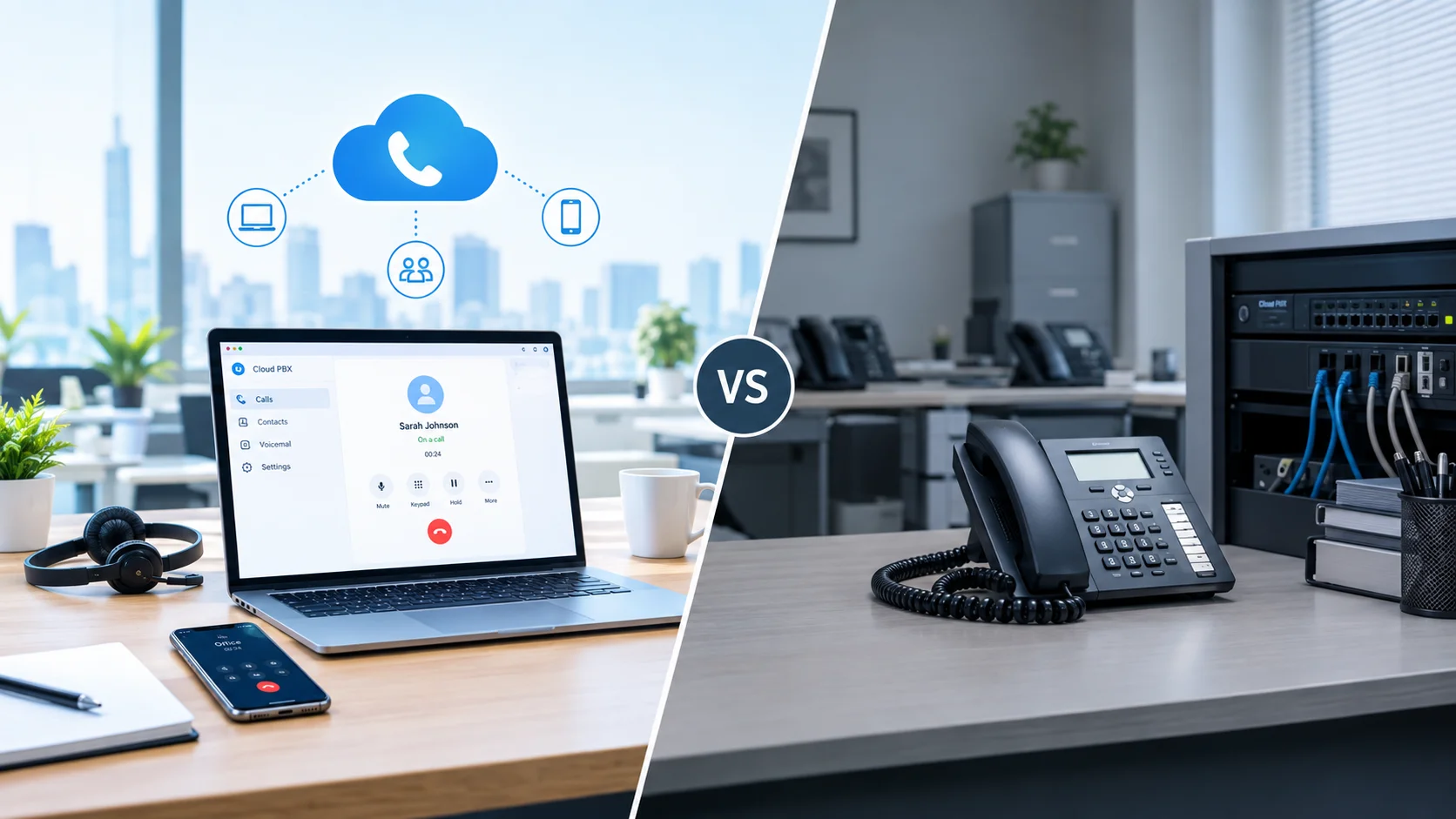
A hosted telephone system is a business phone service where call routing, your auto attendant and voicemail run in the provider's cloud instead of on a box in your office, and calls travel over your internet connection.
Most comparisons blur two separate things, so it helps to split them:
The phone line is the carrier connection that brings calls into your premises, such as analogue or ISDN.
The PBX is the system that routes those calls to extensions, runs your auto attendant and handles voicemail. Traditionally, it's a physical box on your site.
That gives you three realistic options:
Is ISDN being switched off in Ireland?
Yes, in stages, but there is no single national switch-off date.
Ireland's legacy copper network is being retired phase by phase, region by region, led by eir (open eir). Many search results mix in UK timelines. The UK has a fixed PSTN deadline, and Ireland's process is different, so don't assume UK dates apply to you.
What you can expect is a gradual squeeze. Irish providers report that new ISDN and PSTN orders are being restricted where fibre is available, and that ageing ISDN hardware is getting harder to repair. Your own timeline depends on where you are and what your provider can still supply.
The good news is that this gives you time to choose. Planning a move on your own schedule is far calmer than reacting to a fault or a forced change. To confirm the position in your area, ask your provider and check ComReg's published guidance.
What else runs on your phone line besides calls?
This is the question that catches businesses out, because nobody remembers what's plugged into the line until it stops working.
Many things quietly rely on a traditional copper line:
Intruder and fire alarms
Lift emergency lines
Card payment terminals
Fax machines
Door entry systems
Common mistake: treating this as a go-live-day discovery. The business that finds out its alarm was on the phone line at 9am on the day of the switch has had a bad Monday that was entirely avoidable.
The fix is simple and takes an afternoon. Before you commit to anything, walk the premises and list everything connected to a phone line. Some of it can be moved to another connection or upgraded, and some needs a specialist. Once the list exists, this stops being a risk and becomes a checklist at the very start of the project.
Is a hosted phone system as reliable as a landline?
Yes, when the basics are in place. It's reliable in a different way. A traditional line is largely independent of your broadband. A hosted system depends on your internet connection, your local network and your power, so reliability comes from planning around those three things:
Good broadband. You need a stable connection with enough capacity (more on that below).
A tested network. A network check before you move shows whether your setup can carry calls cleanly.
A fallback plan. If your internet fails, a well-configured system diverts calls automatically to mobile numbers or other destinations you've defined in advance. Because call routing isn't tied to a box on your site, there is no single on-site point of failure.
Dropped calls and laggy handsets are almost always a sign of an overloaded network or ageing equipment, not of hosted telephony itself. Get the basics right and the technology label matters far less.
What Happens When the Internet Goes Down?
Picture it: It's 9am on a Monday, the broadband drops, and customers are ringing.
On a properly set up hosted phone system, those callers never hear a dead line. Your pre-set diversion rules send calls to your mobiles within seconds, and the business keeps answering. On a badly planned one, the phones go quiet until the connection comes back. The difference is not the technology. It's whether the outage plan was designed before go-live.
Hosted systems depend on power and broadband, so an outage plan is part of the design, not an optional extra. A sensible plan includes:
Call diversion rules set up in advance, so call ring mobiles or another number if your connection drops.
Battery backup. A small UPS on your router and network switch keeps you connected through short power cuts.
Mobile access. Staff using a softphone app can keep taking calls on the business number from wherever they are.
Written confirmation from your provider of exactly how outages are handled. Ask before you sign.
Once these are in place, an outage becomes an inconvenience rather than a lost day of business.
Can you call 999 or 112 from a hosted phone system?
Yes, with caveats worth understanding before you move.
ComReg states that access to emergency services must be free, and that VoIP providers must tell customers about any limits on emergency access in their terms before sign-up. So the rules protect you, as long as you ask the right questions:
Ask your provider how emergency calls work on their service and what the limits are.
Make sure your address is registered correctly so emergency services can locate you.
Keep a charged mobile or another backup to hand, because a power cut or broadband failure can affect any internet-based call.
Don't assume emergency calls will work in every outage. Get the details in writing, and read ComReg's guidance on emergency call answering. A provider who answers this question clearly and without hesitation is a good sign.
Can you keep your existing business number?
Yes. This is the one most people worry about most and need to worry about least.
Number porting moves your existing number to the new system, typically in one to three business days. During that window, a divert is put in place so no calls are missed. A good porting process is invisible to your callers: they dial the same number before, during and after.
When you speak to a provider, ask how they handle the divert and the cut-over, and on which day the number will actually move.
How much broadband does a hosted phone system need?
About 100 Kbps per concurrent call is a common rule of thumb. The key word is concurrent, that means calls happening at the same time, not the number of staff. A 20-person office might rarely have more than a handful of simultaneous calls.
Most 10-person offices don't need to worry about bandwidth. Your router, your Wi-Fi or your network setup is the likelier culprit. What matters as much as raw speed is quality. A stable, low-latency connection, with voice traffic not competing against large file uploads or video streaming. A network check before you move will tell you quickly whether your connection is ready or needs attention first.
How do the costs compare?
For most small and mid-sized businesses, a hosted system works out cheaper. You stop paying line rental per channel and PBX maintenance contracts, and there's no large upfront hardware spend. How much cheaper depends on how many lines you pay for today, what your maintenance costs, and whether your broadband needs an upgrade, so the only reliable figure is the one you work out from your own bills.
When does a traditional or hybrid setup still make sense?
Hosted telephone systems aren't the answer for everyone, and a provider who says otherwise isn't being straight with you. Traditional or hybrid setups can still be the right call when:
Broadband is poor and can't be improved at your location.
Specialist equipment depends on a copper line and can't yet be moved.
You have a large on-premise PBX with years of life left, and the immediate need is only to change the lines. An on-premise PBX with SIP lines is a legitimate middle step.
You need a phased transition, moving some sites or teams first and others later.
A good provider will tell you if hosting isn't right for you yet. If every conversation ends in the same answer, ask why.
How do you move to a hosted phone system without missing calls?
A well-run migration is mostly preparation. Here is the usual sequence:
Check the network for call capacity and quality.
Choose a plan that matches how your team works.
Decide on your number. Port your existing one, or take a new one.
Configure the system. Auto attendants, ring groups, call queues, business-hours routing and voicemail to email are all set up before go-live.
Sort the hardware. Pre-configured IP desk phones, DECT or Wi-Fi handsets and headsets, or softphones on desktops and mobiles. Existing SIP-compatible phones can often be checked and reused.
Test calls before go-live.
Go live, with a divert covering the porting window.
Once the groundwork is done, a typical business can be live within a day or two. The calls that matter most are protected at steps 1, 3 and 7.
Which option should you choose?
Here is a simple way to decide:
Choose a hosted telephone system if you have multiple sites or remote and hybrid staff, want one business number across desk phones, mobiles and softphones, and have reliable broadband. If that's you, our guide to hosted PBX in Ireland explains how the service works day to day.
Consider SIP lines on your existing PBX if the box is still serving you well and the main problem is the lines.
Stay traditional for now if connectivity is poor or specialist equipment depends on the line, but plan for the eventual change.
Whichever you choose, start with the same three questions: what depends on your lines, how good your broadband is, and what happens when something fails. If you're weighing up providers, our guide to choosing a VoIP provider in Ireland shows what to look for.
Your next step: a network check before you decide anything
You don't have to commit to a move to find out where you stand. A network check tells you whether your broadband and internal network can carry calls cleanly, and what, if anything, needs fixing first. Combined with your list of everything connected to your phone lines, you'll have what you need to make the decision calmly and on your own timeline.
Book your free network check and we'll tell you honestly whether hosted is right for your business, or whether a different route suits you better.
You May Also Like: