What Is an Office Telephone System?
An office phone system is a business calling
setup designed for teams working in a professional office environment. It connects
employees through desk phones, shared extensions, reception handling, voicemail and
call transfer tools so that incoming calls are answered efficiently and directed to
the right person.
Modern office phone systems are far more flexible
than legacy landlines. They can support reception teams, meeting rooms,
department-based routing and remote staff, while also giving managers access to
features like voicemail-to-email, reporting and automated call flows.
For Irish businesses, the right office phone
system creates a more polished customer experience while giving internal teams
better control over everyday communications.
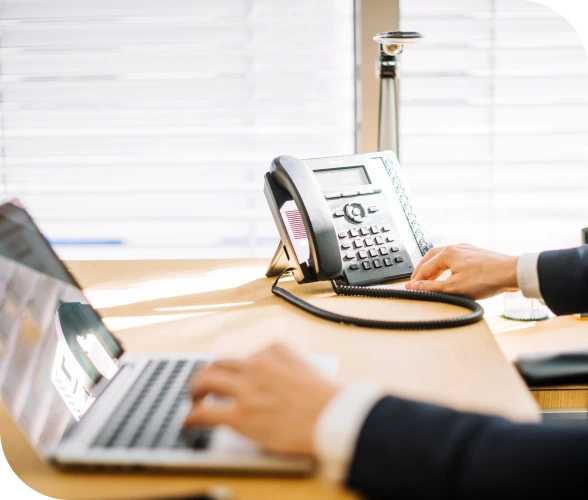
Why Your Office Still Needs a Proper Phone System
A dedicated office phone system delivers things that mobile-only
setups simply can't.

Better reception handling
Ensure every incoming call is answered
professionally and routed correctly from the first ring.

Easier internal transfers
Move calls between staff, departments and
locations with a single button press.

More professional customer experience
Greet callers with branded menus and direct them
to the right person every time.

Shared extension structure
Give every team member a direct extension while
sharing lines across the office.

Built for busy offices and departments
Handle high call volumes across multiple teams
without dropped calls or delays.

Supports meeting rooms, reception and
managers
Different phone profiles for different roles from
reception consoles to executive handsets.
Office Phone System Features & Capabilities
Everything your office needs to handle calls properly from day one - included as standard, not sold as add-ons you discover later.

Reception Console Support
Purpose-built console phones for busy front-desk teams managing
high call volumes.

Desk Phones for Teams
Reliable, high-quality handsets for every member of staff.

Transfer, Hold & Pick-Up Groups
Move calls between staff seamlessly without dropping the caller.

Auto Attendant
Professional greetings and call menus to route callers without
manual intervention.

Department Call Routing
Send calls directly to sales, support, accounts or any other team
automatically.

Conference Calling
Multi-party conference calls for internal meetings or client
calls.

Voicemail to Email
Receive voicemail recordings directly in your inbox so nothing is
missed.

Call Reporting
Track call volumes, answer rates, durations and missed calls
across your office.
Typical Office Phone System Setups
We design systems around how your office actually works, not around a fixed package. These four setups cover most Irish offices we fit out.
Small Office
5–10 users
A straightforward setup with desk phones, a main line, auto attendant and voicemail. Ideal for professional services firms and small teams.
Main business number
Desk phones per user
Auto attendant
Voicemail to email
Growing Office
10–30 users
A more structured system with department routing, reception handling and call reporting as your team expands.
Reception console
Department routing
Call queues
Reporting dashboard
Multi-Department Office
Mixed teams
Sales, support, accounts and operations each get their own routing, voicemail and extension groups.
Per-department routing
Hunt groups
Shared voicemail boxes
Manager visibility
HQ + Satellite Office
Multiple sites
One unified phone system connecting your main office and any satellite locations under a single platform.
Shared extension plan
Inter-site calling
Central management
Single billing
Best Fit For
An office telephone system earns its keep fastest in businesses where the phone is a working tool rather than an occasional interruption.

Professional services
firms
Solicitors, accountants, architects and consultancies who
need a polished phone presence.

Clinics and healthcare admin
teams
High-volume reception environments where call handling is
critical.

Sales and support
teams
Teams that rely on phone calls to win and retain
business.

Front-desk and reception-led
businesses
Any business where the phone is the primary first contact
with customers.
Modern Office Phone System vs Legacy PBX vs
Mobile-Only Setup
Recommended Hardware
Handsets supplied, configured and delivered by Pulse Telecom. Every phone arrives pre-provisioned with your extensions and settings already loaded.
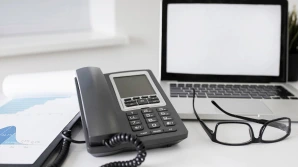
Reception Handset
Large colour touchscreen console phone designed for busy reception desks with high call volumes.
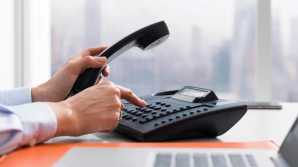
Standard Office Desk Phone
Reliable, straightforward handset for everyday office
users. Easy to use and simple to manage.

Premium handset with colour display, Wi-Fi and
Bluetooth for managers and directors.

Professional USB/3.5mm headset for staff who spend
most of their day on calls.
What Irish Businesses Say About Pulse

The team at Pulse Telecom are so nice to deal with, professional and efficient. We have an ongoing need for interacting with them for our clients and they are very helpful. I would highly recommend the Pulse Telecom Voip service for reliability, customer support and value. Looking forward to working with Anthony, Philip and the team going forward.

Switching to Pulse Telecom was a game-changer for our office operations. We were struggling with dropped calls and lagging hardware, but their team stepped in and streamlined our entire communication stack. The transition was seamless, the call quality is crystal clear, and their support team actually answers the phone when you need them. It’s rare to find a provider that balances cutting-edge tech with such a human touch.

We are using Pulse Telecom for our office phone system needs and I would highly recommend their services. We have a number of remote working staff in different departments and everything ties in seamlessly.

Anthony and his Pulse Telecom team are responsive and make it very easy to understand how they work, they have good technical backup and are always offering new and innovative ways to make our business work better, i would have no problem recommending them to any business looking to improve their communications system.

My company, Robertson Estates, Donabate, has been dealing with Pulse Telecom for the handling of our phone system for many years. In that time I found them easy to deal with and there service is second to none while also offering great value for money.

Really great experience dealing with Pulse Telecom. Excellent service, good value for money, and super friendly customer support. Really appreciate all the help!

Frequently Asked Questions
Common questions about office phone systems for Irish businesses.
Yes. We manage the full number porting process so your business keeps its existing number throughout the switch to the new system.
Yes. Pulse Telecom provides full installation, configuration and on-site support for businesses across Ireland.
Yes. Our systems support CRM
integration with platforms such as Salesforce, HubSpot and Zoho,
enabling click-to-dial and automatic call logging.
Absolutely. Remote staff can
use the Pulse softphone app on their laptop or mobile and appear
as a normal extension within your office system.
Ready to Get Started?
Get a free quote tailored to your business in minutes.